
 SAM
SAM=Navigation%20(Current)12-2.png?width=17&height=17&name=Navigation%20(Current)=Navigation%20(Current)12-2.png) Maintenance
Maintenance =Navigation%20(Current)12-3.png?width=17&height=17&name=Navigation%20(Current)=Navigation%20(Current)12-3.png) Capital
Capital  About us
  Contact Us
  Careers
  Customer Success Stories
=Navigation%20(Current)12-4.png?width=17&height=17&name=Navigation%20(Current)=Navigation%20(Current)12-4.png) SuiteSpot Accelerate™
SuiteSpot Accelerate™ Newsroom
 Integrations
 Resource Centre
 FAQ
FAQ Request a Demo
=Navigation%20(Current)12-1.png?width=17&height=17&name=Navigation%20(Current)=Navigation%20(Current)12-1.png) SAM™ Maintenance Request
SAM™ Maintenance Request SAM™ Supervisor
=Navigation%20(Current)12.png?width=17&height=17&name=Navigation%20(Current)=Navigation%20(Current)12.png) SAM™ Technician
SAM™ Technician SAM™ Capital Manager
Overview
Faster unit turns come from removing the waiting, rework, and uncertainty between tasks. A turn may require only a limited number of labor hours and still remain vacant for days because the work started late, the scope changed, a vendor was not scheduled, an approval waited, or no one saw that a dependency had slipped. Faster apartment turns begin with earlier visibility and better orchestration.
Start Before Move Out
Use notice information to create the turn record, target date, likely scope, inspection schedule, and resource plan before the unit becomes vacant. Not every condition can be known in advance, but the organization can prepare access, vendors, common materials, and inspection ownership. A turn that begins on move out day is already giving up time.
Build the Scope Once
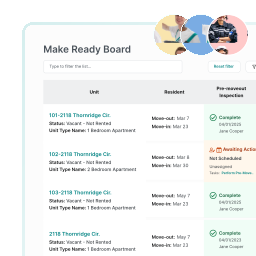
The move out inspection should create the work scope, evidence, chargebacks, approvals, and assignments in the same system. Avoid reentering findings into work orders, vendor emails, and spreadsheets. Each handoff adds time and creates an opportunity for scope to change without visibility.
Sequence the Critical Path
Identify which work controls the ready date. Some tasks can happen in parallel. Others must follow a specific order.
The team should know whether the critical path runs through repairs, paint, flooring, appliances, vendor availability, final clean, or inspection. Managing every task as equally important makes it harder to protect the schedule.
Reduce Approval Delay
Set clear spending thresholds, approval owners, and escalation rules. Give approvers the scope, evidence, estimate, and schedule impact in one place. An approval that saves a small amount but delays the unit can create a larger vacancy cost. The workflow should make that tradeoff visible.
Plan Vendor Capacity
Track vendor coverage, lead times, workload, completion history, and documentation. Assign work early and confirm acceptance. When one provider controls a critical task, the team should see the risk and know the backup plan.
Standardize Common Work
Repeated scopes, preferred materials, standard pricing, property turn levels, and approved vendors can reduce decisions that otherwise happen from scratch on every unit. Standardization should accelerate normal work while preserving a clear path for exceptions.
Make Delay Reasons Visible
Track when a unit is waiting on inspection, scope, labor, part, vendor, approval, quality check, or leasing decision. The analysis should locate where time accumulates and identify the process change most likely to remove it.
Protect Quality at the End
Skipping the final standard can create resident complaints, work orders after move in, and another round of access coordination. Use a consistent quality check and clear leasing handoff. A unit should be declared ready based on evidence, not assumption.
Measure Calendar Time and Working Time
Track total days, active work time, waiting time, start delay, rework, scope changes, and days between final completion and leasing readiness. This separates labor performance from coordination performance and shows where vacancy loss can actually be reduced. SuiteSpot gives operators one view of every turn, dependency, delay, owner, and ready date across the portfolio.
Find the handoff adding the most avoidable days to your turns, then remove it.
Faster Turns. Smarter Work.
See How SuiteSpot Can Streamline Your Maintenance
 Book a Demo
Blog
Resource library
Subscribe to learn about new product features, the latest in technology, solutions, and updates.